No query to build, no dashboard to decode: you ask the way you'd ask a colleague; it reads the account and answers with the numbers.
“
What would you recommend?
It starts by checking what is reliable, and says so. A recommendation built on broken tracking is worth nothing.
“
What can I tell my client this month?
What moved, with the figures, and the one thing to change next month. Enough to write the e-mail.
“
Give me a full analysis of the last six months.
It goes through the whole account, period by period, and gives you what stands out.
“
Where is my budget going with nothing to show?
It ranks the search terms you paid for and shows which ones never converted.
Which keywords cost me the most for nothing in September?
Read from your keywords · 1 – 30 September
Three keywords spent without a single conversion, for 218 € in total.
cheap tinted glass104 €
home window repair71 €
emergency glazier night43 €
The first two target a different trade from yours. To be excluded.
It audits the campaign, and everything around it
A campaign that spends without converting often has its cause elsewhere: a page that doesn't say what the ad promises, a missing tag, a disapproved product. So it looks there too.
Landing pages read, tracking tags checked (GTM, Google Ads, GA4).
Google Analytics 4
Live
What visitors do after the click, queried during the conversation.
Merchant Center
Live
Disapproved or limited products, with the reason, read during the conversation and shown in the products table.
What it does not do
It analyses. You decide. It does not make the changes for you.
It does not make the changes for you. The Google access it requests allows only reading.
Read-only, zero writing. No bid changed, no campaign paused, no budget moved. Ever.
No “optimise” button. A decision comes from your figures meeting your judgement. You make the changes in Google Ads.
Tool no. 2 · Reports and PowerPoint
Polished reports, set up in minutes
One-off or scheduled, in your colors, exportable to PowerPoint. Without the complexity of Looker Studio.
One-off
One question, one report
You choose the period, you generate it, you send the link. Nothing goes out afterwards. This is the report you make when a client calls.
Scheduled · monthly or weekly
The same report, every week or every month
The template is set once; the report generates and sends itself, over the period just ended. Ideal for monthly or weekly reviews.
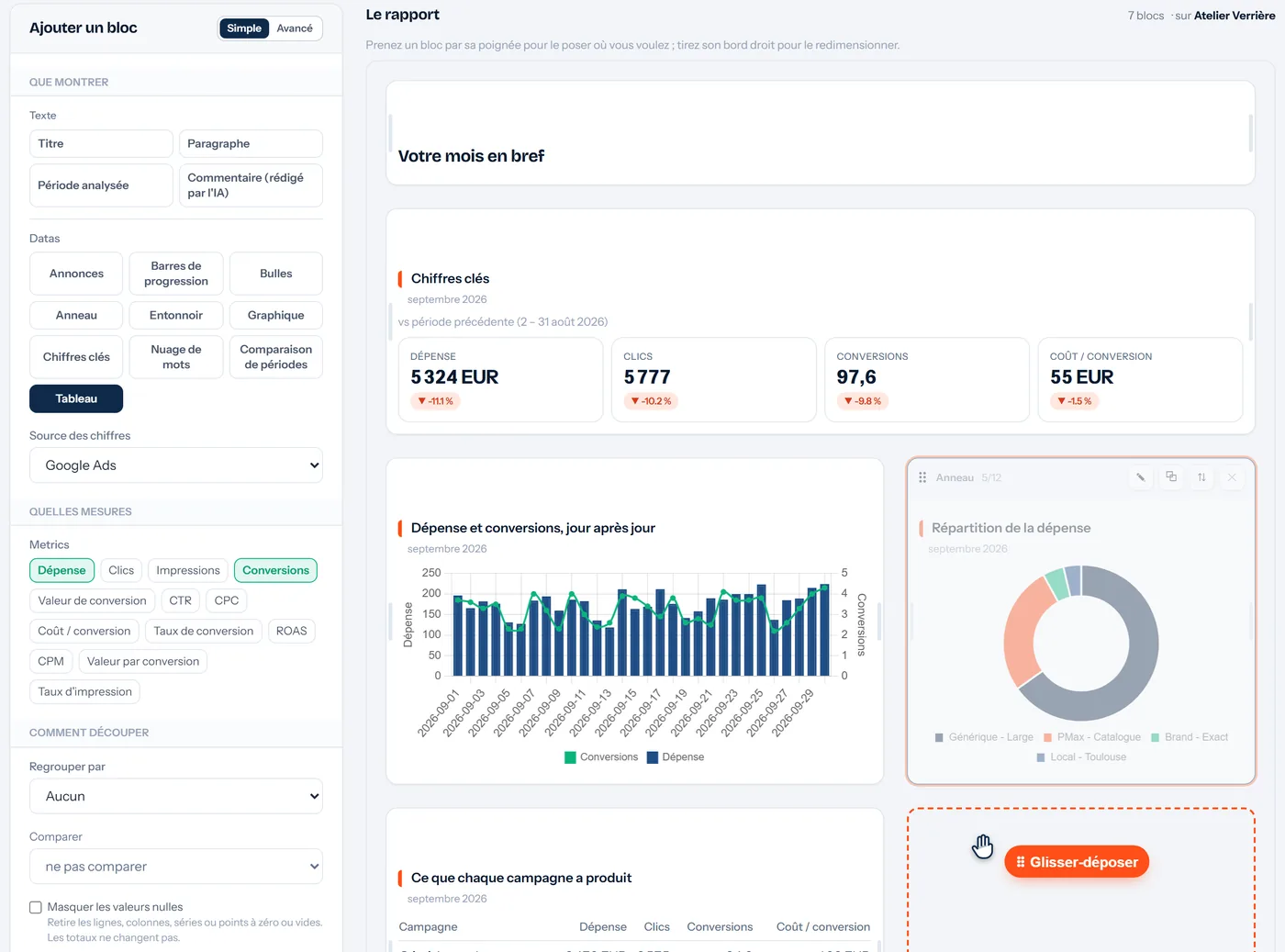
adsclearview.com · report composer
The composer, mid drag-and-drop: pick a block up by its ⠿ handle, the dashed outline shows where it will land. Fictitious client and figures.
Google Ads report · Rivage Plumbing
1 – 30 September 2026, compared with August
+18 %conversions
WHAT WORKED
The Emergency campaign carried the month
41 conversions, a third of the total, at €14.90 each
WHAT IT COST
Broad generic ate 40% of the budget
13 conversions · 28 exclusions added since
612 €
TO WATCH
You only appear 38% of the time
Budget-limited on two Search Network campaigns
✓Set up in minutes. Eleven blocks to drag and drop on a grid: key figures, charts, tables, funnels… No data sources to wire or formulas to write as in Looker Studio. A template copies from one client to the next.
✓A polished design, under your brand. Your agency's logo and colors, on the online report as in the PowerPoint.
✓A commentary written for you by the AI. It only talks about the figures on the page, and you have it rewritten if it does not suit you.
✓PowerPoint export. Every report exports to .pptx, in 5 templates: see the templates ↓
Every report exports to PowerPoint, in 5 templates
A “PowerPoint (.pptx)” button on the report gives you a file ready to present, which you can still edit.
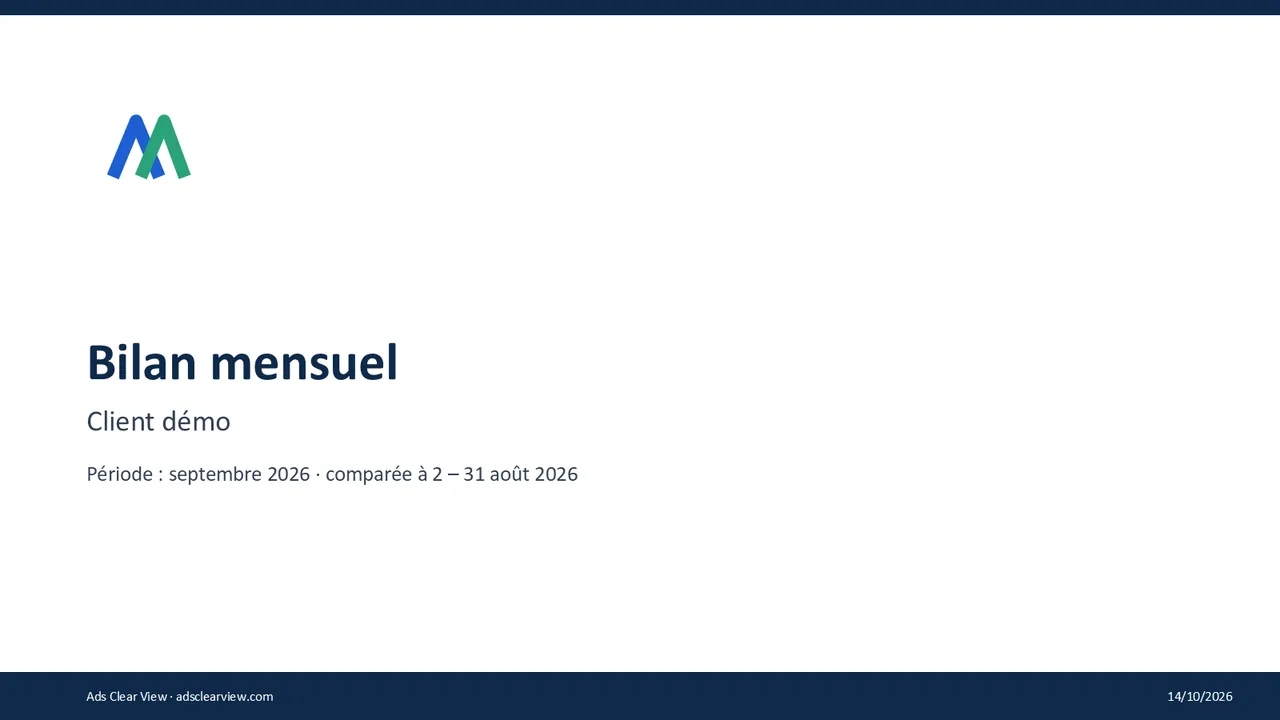
Slides actually exported, from a demo account (fictitious data, French report).
Real PowerPoint charts and tables. Not pasted images: you change a colour, a label or a value right in PowerPoint.
5 templates to choose from: Banner, Clean, Sidebar, Dark and Full.
Your agency's colours and logo, on the cover, the charts and the footer of every slide.
Google Slides too: import the .pptx file into Google Slides.
Tool no. 3 · Client portal
A client portal under your brand, on a dedicated URL
They will not ask you for last month's report again.
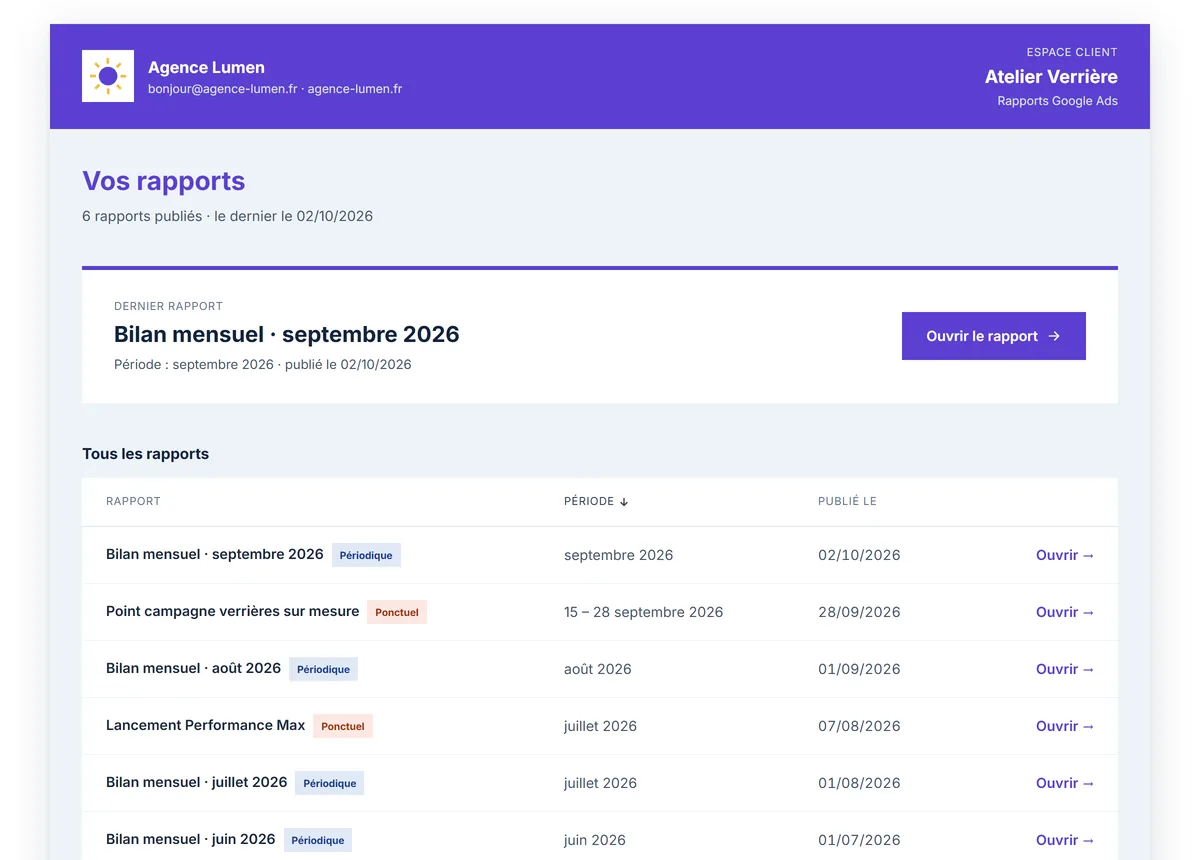
lumen.acvhub.net/c/atelier-verriere
Real screenshot of the portal, with a fictitious agency and client.
✓A dedicated URL. your-agency.acvhub.net: an address in your agency's name, which your client bookmarks. The link never changes.
✓Under your brand. Your logo, your colors, your name. Ads Clear View appears nowhere.
✓All reports, one URL, secure access. One-off and scheduled in one place. Private link or code received by email: no account to create, no password to remember.
Dedicated URL and white label: paid plans.
Frequently asked questions
What people ask us before starting
Can it change my campaigns?
No, and it is not a setting: the Google authorisation requested is read-only. The tool recommends, you apply.
How many accounts can I connect?
As many as your plan allows. Each account keeps its own context: what you explain about one client never mixes with another.
What if my conversion tracking is broken?
That is precisely the first thing it looks at. It tells you, explains how, gives the fixes, and bases its analysis on what does not depend on tracking.
Do my clients see your name?
Not if you do not want them to. Logo, colours and footer are yours, and the share link can be protected by a code the client requests again by e-mail.
Do I need a card to try it?
No. The Free plan is free forever, with no card: 1 client, 30 messages a month (max 5 per day), and you see what it gives on your real data.
Connect an account, ask a question
In three minutes you will know whether the tool teaches you something about your campaigns. If it teaches you nothing, you will have paid nothing.