
Client reports built in minutes
You place blocks on a grid, choose the period and the comparison, and the tool does the maths. The report is shared by link, exported to PowerPoint and printed to PDF.
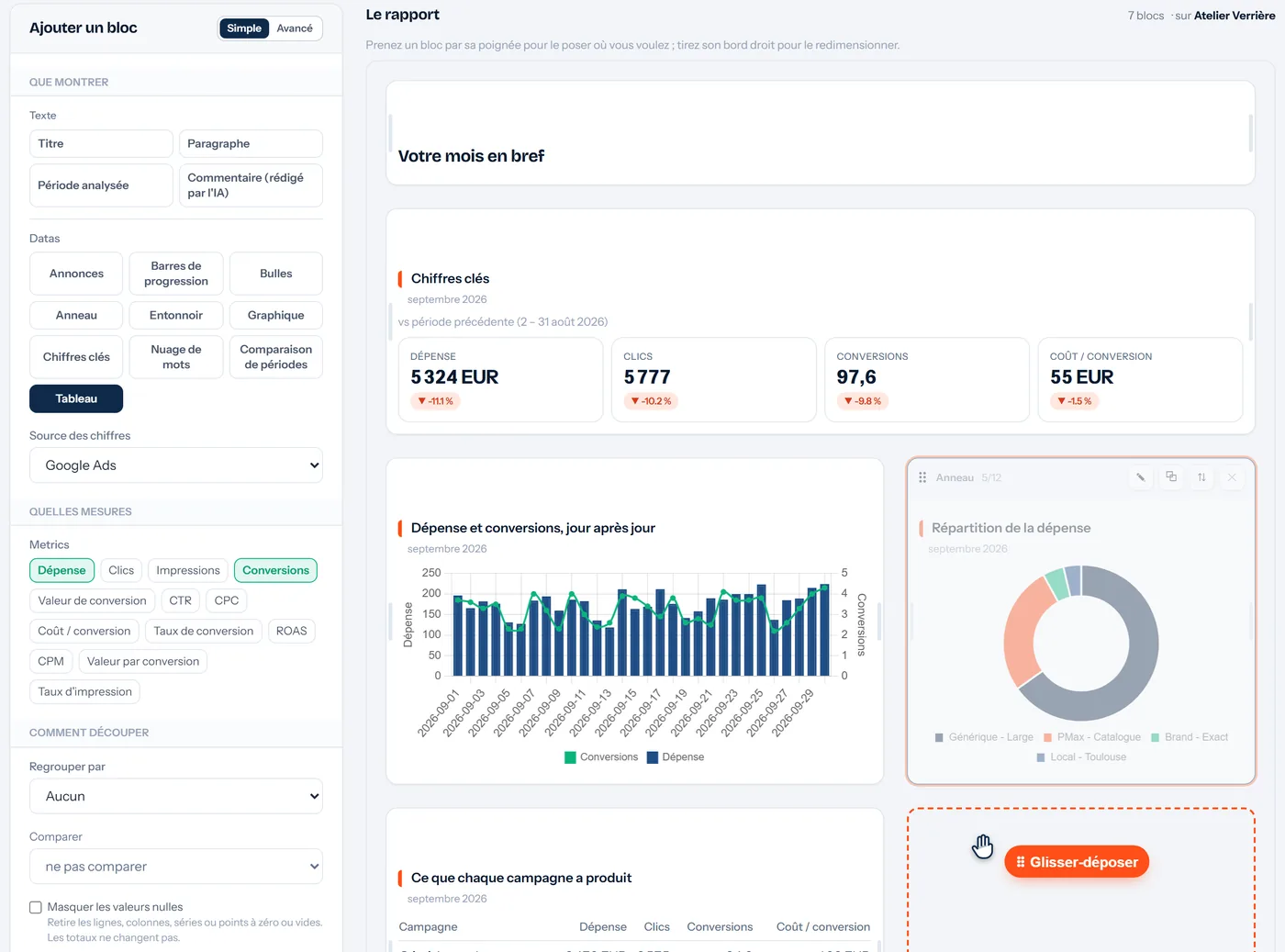
What you can build
- Drag and drop. Key figures, charts, tables, donuts, bars, funnel, bubbles, word cloud, ads, AI-written comment: each block is placed and resized on a grid.
- Pivot tables. Cross two breakdowns, for example campaigns by month, with the metrics of your choice.
- Comparison per block. Each block compares with the previous period or last year, independently of the others.
- Ready-made templates. Monthly review, where the money goes, terms to exclude…: add them to an account, edit them, and duplicate them from one client to another.
- PowerPoint and PDF. Export to .pptx with real editable charts and several layouts, also opens in Google Slides; PDF through the browser's print.
How it works
Start from a template or a blank page
A ready-made template is added to the account in one click; everything stays editable.
Place and set up your blocks
Period, comparison, metrics, colours: the preview recalculates on the account's real data.
Share
A private link for the client, the PowerPoint export or the PDF. On paid plans, the report also appears in the client's portal.
Which plans include it
- Free
3 one-off reports per month, with the Ads Clear View logo
- Solo
Unlimited one-off reports, with your branding
- Pro
Unlimited one-off reports, with your branding
- Agency
Unlimited one-off reports, with your branding
Compare every plan line by line
Frequently asked questions
Do I need to connect data sources or write formulas?
No. Google Ads data is there as soon as the account is synced, and blocks are set up from menus, with no formulas.
Is the report under my name?
On paid plans, yes: your agency's name, logo, colours and contact details, once set in your settings, with no mention of Ads Clear View. On Free, the report carries the Ads Clear View logo.
Can I edit the PowerPoint?
Yes: charts and tables are real PowerPoint objects, not images. The file also opens in Google Slides.
Other features
Connect a Google Ads account and ask your first question
Free plan, no credit card, no time limit. Read-only access: nothing is ever changed in your accounts.