
Your client reviews go out on their own, on schedule
You set up the template once, with recipients and frequency. At each due date, the report is calculated on the past period and emailed to your client.
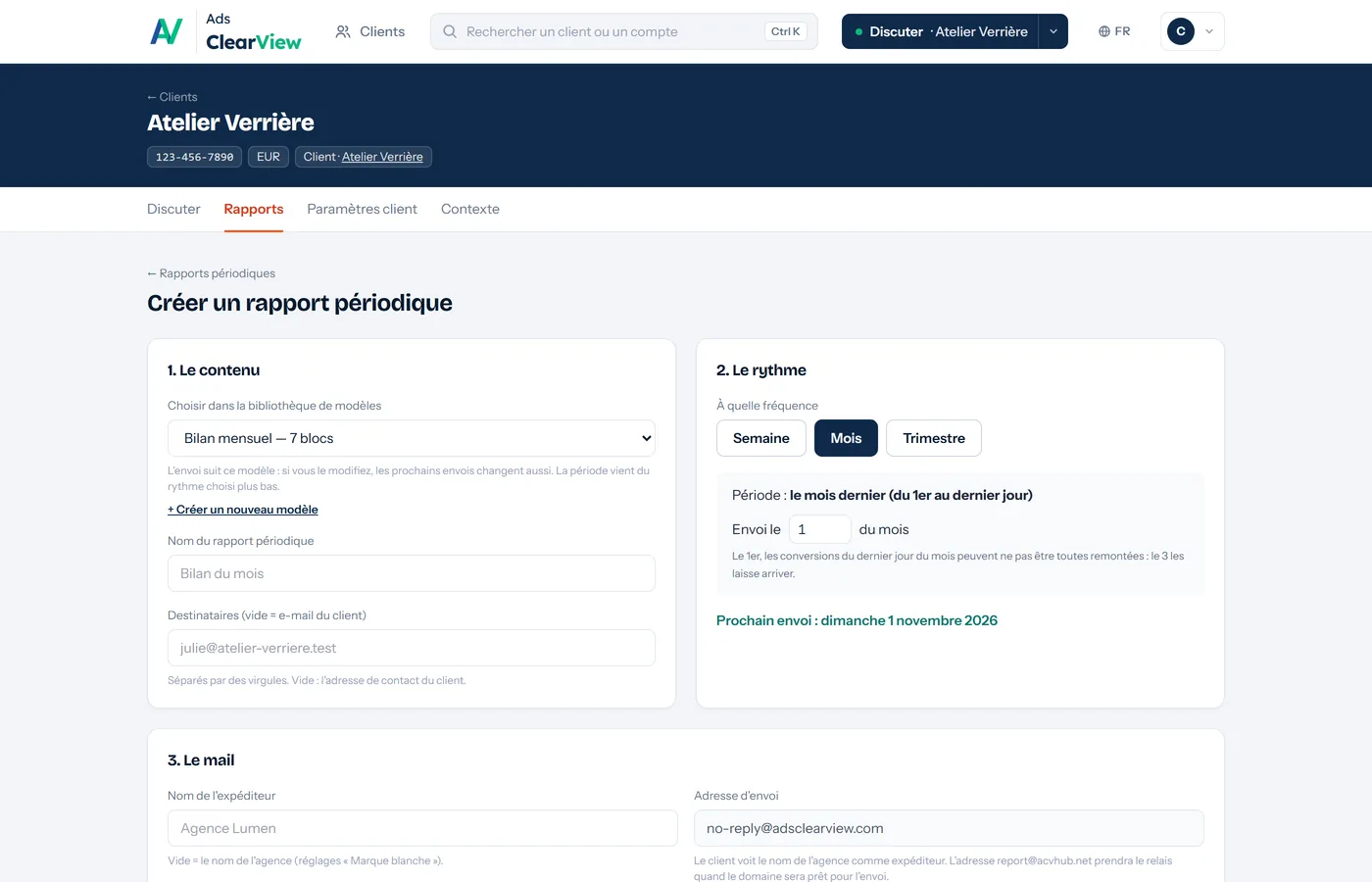
What is automated
- Three frequencies. Weekly, on the day of the week you choose; monthly, on the day of the month you choose; or quarterly.
- Always the right period. Last week, last month or last quarter: the period follows the frequency, with no dates to change.
- An email under your name. Subject, message and sender name are set in the schedule; the email carries your agency's logo and a link to the report.
- Preview and test send. You see the email before the first send, and you can send it to yourself to check it.
- Pause when needed. A schedule can be paused and resumed without losing its settings.
How it works
Choose the template
One of your report templates, built by hand or started from a ready-made one.
Set frequency and recipients
Weekly, monthly or quarterly; one or more addresses; the subject and the message.
It goes out
At each due date, the report is calculated on the past period, emailed and, if you choose, published in the client's portal.
Which plans include it
- Free
Not included
- Solo
Included
- Pro
Included
- Agency
Included
Compare every plan line by line
Frequently asked questions
Is the report attached to the email?
No: the email contains a link to the online report, which your client also finds in their portal.
Can I change the message that is sent?
Yes: subject, message and sender name are set for each schedule, with a preview before sending.
Is it available on the Free plan?
No: scheduled reports are reserved for paid plans. The Free plan includes one-off reports.
Other features
Connect a Google Ads account and ask your first question
Free plan, no credit card, no time limit. Read-only access: nothing is ever changed in your accounts.